Your own five areas.
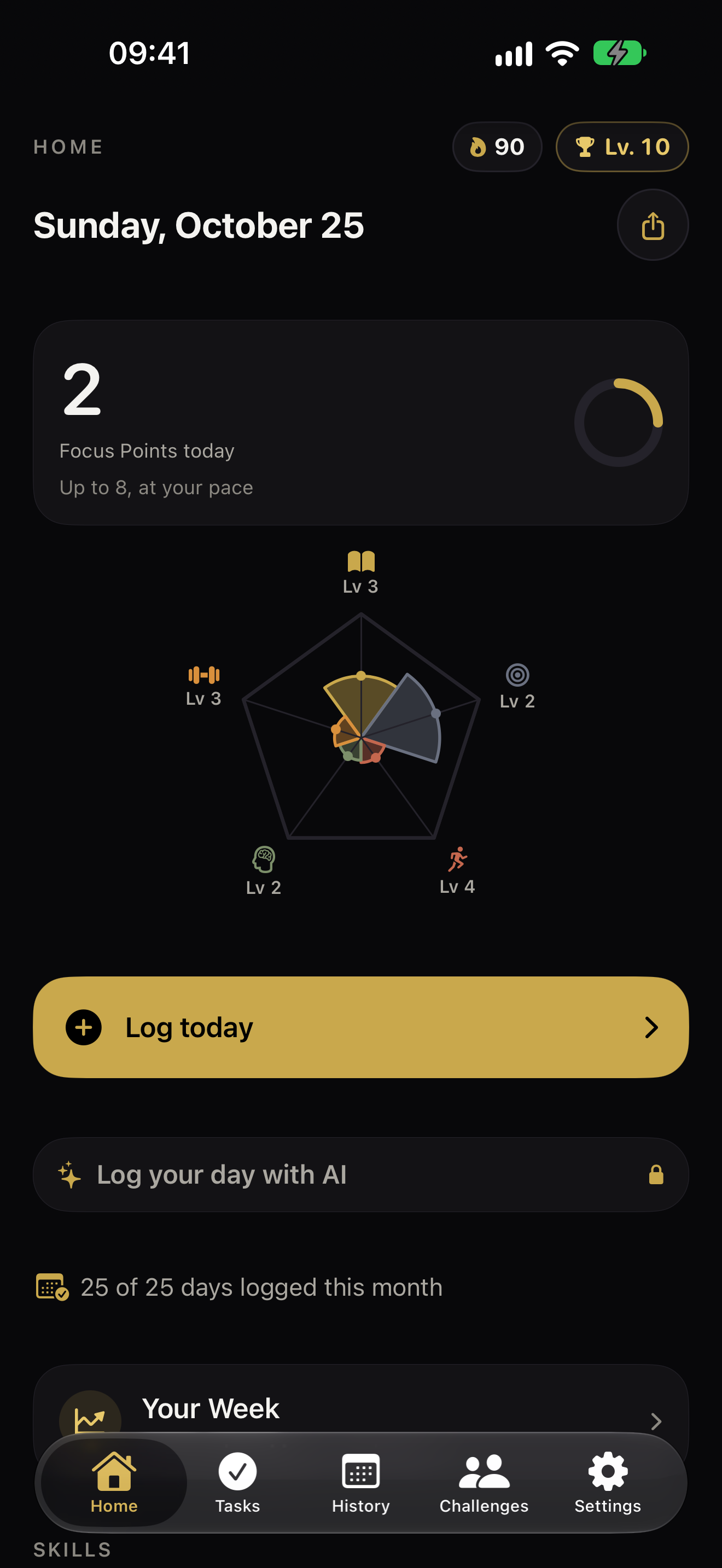
Give your stats names, icons and meanings that feel like you. Learning, movement, creativity—your priorities belong here.
 GetBer
PERSONAL GROWTH, WITH CHARACTER
Turn the things you actually do into a character worth building. Five personal stats. Permanent levels. A little progress, every day.
Get GetBer for iPhoneStart free · Optional subscriptions
No account needed in the iPhone app.
Not another list to keep up with.
Give your stats names, icons and meanings that feel like you. Learning, movement, creativity—your priorities belong here.
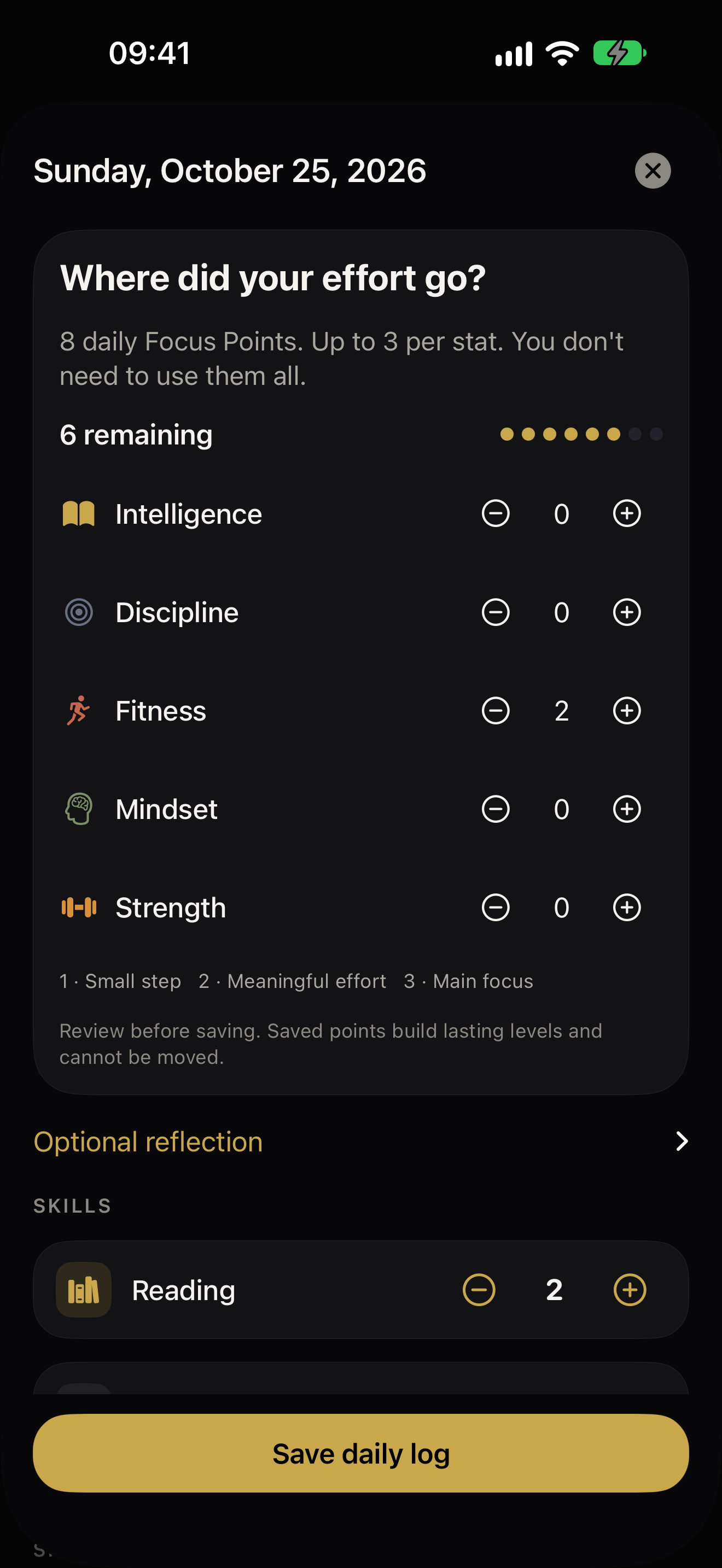
Reflect on your day and allocate up to eight Focus Points, with at most three per stat. You don’t need to spend them all.
Practise skills, earn XP and build permanent levels. A missed day doesn’t take your levels away.
A SMALL DAILY RITUAL
Set up five distinct areas of your life and the skills you want to practise.
Log your day, practise a skill or finish a task. Notice what you did, not just what’s left.
Your shape, levels and history make small steps visible over time.
MOTIVATION, WITHOUT THE NOISE
Create a private challenge and invite friends or family with a code. Set a goal, check in and encourage each other. No public feed to keep up with.
Joining is free. The host’s plan determines group size.
Challenge membership is device-local; reinstalling doesn’t recover it.
GOOD TO KNOW
Yes. Start with five stats, five skills, tasks, history and streaks. Optional Plus, Pro and MAX subscriptions add features such as more skills, customization and AI tools. Current prices and terms are shown in the app before subscribing.
No. Manual logging is part of the core experience. AI is optional, off by default and available with a paid plan. Review any suggested allocation before saving it.
The iPhone app keeps personal history on your device and, when available, in private iCloud. Optional Challenges and AI use online services. Read the privacy policy for details.
No. This page introduces the native iPhone app. The older web app remains separate; web accounts and native app history do not automatically sync. Existing web users can sign in here.
YOUR NEXT LEVEL STARTS SMALL
Free to download. Optional in-app subscriptions.